
Home404 Page not foundin-branch-verification-legacyAge Verification HeadlessAI Services for TerminalsAge Estimation VerifyStay updatedSupportTrust APIIdentity Verification LivenessDigital ID v2Digital ID MigrationIdentity verificationDBS/RTW portalDigital IDDBS RTWeSignaturesAge verificationAge estimationHealthIn Branch VerificationYoti Identity Verification Public APITrust API
Health
v8.0
Title
Message
Create new category
What is the title of your new category?
Edit page index title
What is the title of the page index?
Edit category
What is the new title of your category?
Edit link
What is the new title and URL of your link?
Test management
AI Tools
Summarize Page
Copy Markdown
Open in ChatGPT
Open in Claude
Connect to Cursor
Connect to VS Code
Yoti supports several machines and tests ranging from RT-PCR/LAMP to Lateral Flow Testing. You can select which machines your organisation will be using for testing by simply heading over to the "Test management" section, scroll through the machines and press ADD.
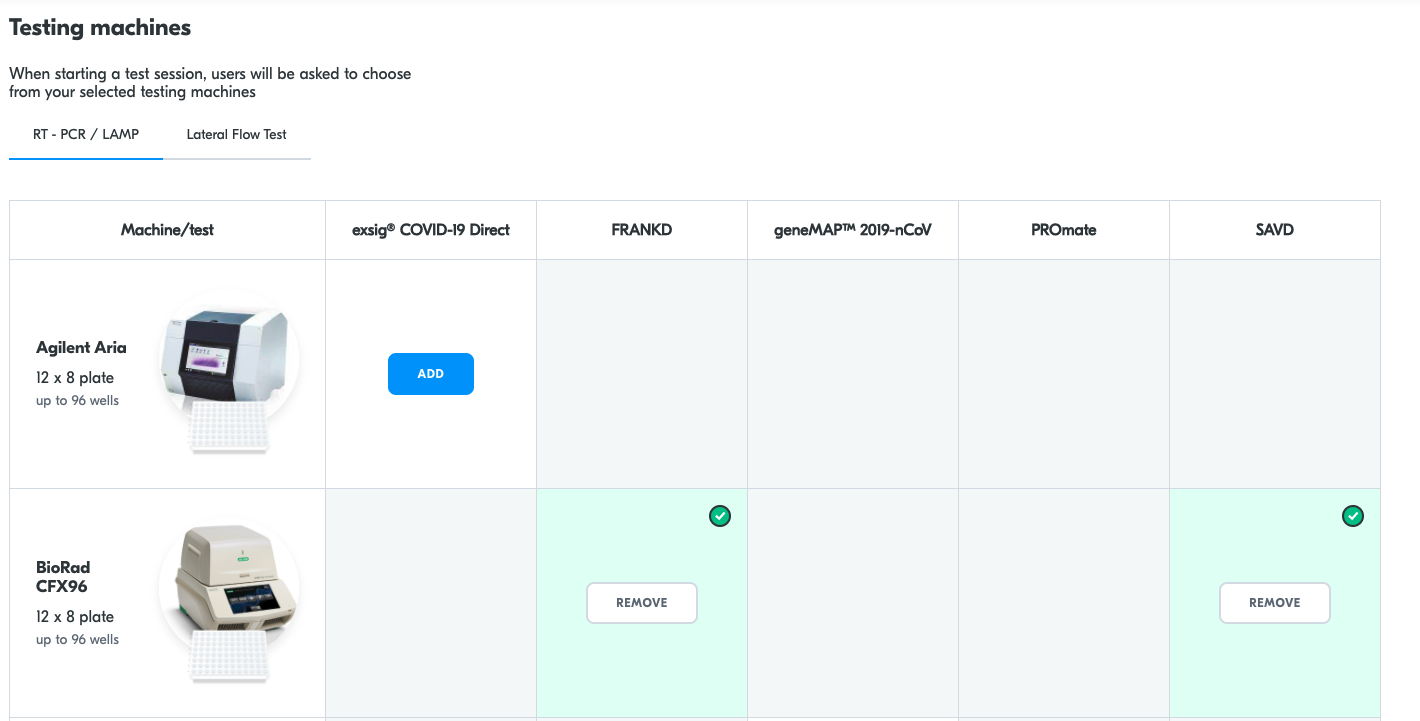
Settings > Machine management
When starting a test session, users will be asked to choose the machine they will be using from your selected testing machines.
A full list of the machines Yoti supports is:
- BioRad with FRANKD
- BioRad with SAVD
- MyGo Pro with FRANKD
- MyGO Pro with PROmate
- MyGO Pro with SAVD
- Testing cube with FRANKD
- Thermo Fisher with FRANKD
- FlexFlow
- Innova
- SureScreen
- YHLO
- Lepu Rapid Antigen test kit
- NowCheck
- Hughes
- MyGo Mini with PROmate
- Testsealab
- Lollipop LFT
- Agilent Aria with exsig® RT-PCR
- Mic qPCR with geneMAP
- Affitest LFT
- Albion LFT
- Europa LFT
- Genesig Q32 PCR Adapt Covid-19
- MyGo Pro PCR Adapt Covid-19
- PROmate COVID-19 2G
- Xpert with Xpress
- SARS-CoV2 Rapid Antigen Test
- SARS-CoV-2 Ag
Type to search, ESC to discard
Last updated on
Was this page helpful?
Next to read:
Collect sampleGot a question? Contact us here.
Discard Changes
Do you want to discard your current changes and overwrite with the template?
Archive Synced Block
Message
Create new Template
What is this template's title?
Delete Template
Message