Welcome
Identity Verification Product Guide
Identity Verification SDK
Mobile SDK
Face Auth
Face Search
DBS / RTW
Title
Message
Create new category
What is the title of your new category?
Edit page index title
What is the title of the page index?
Edit category
What is the new title of your category?
Edit link
What is the new title and URL of your link?
Access Control
AI Tools
Summarize Page
Copy Markdown
Open in ChatGPT
Open in Claude
Connect to Cursor
Connect to VS Code
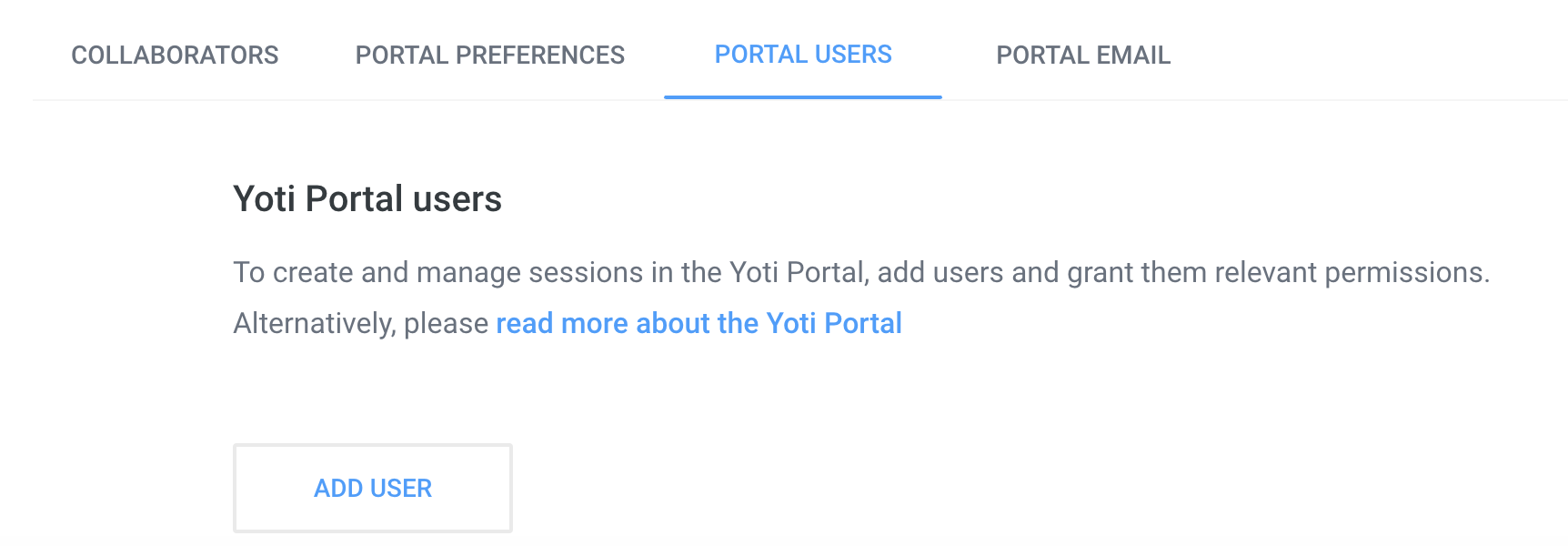
To add a user and enforce permissions to your portal:-
- Go to the portal users tab

- Click add new user
- Type in the person’s email address.
- Once you add a user, they will get emailed a link to the portal and will need to create an account on the portal.
By default people that are added to the portal will have the ‘View sessions’ permission.
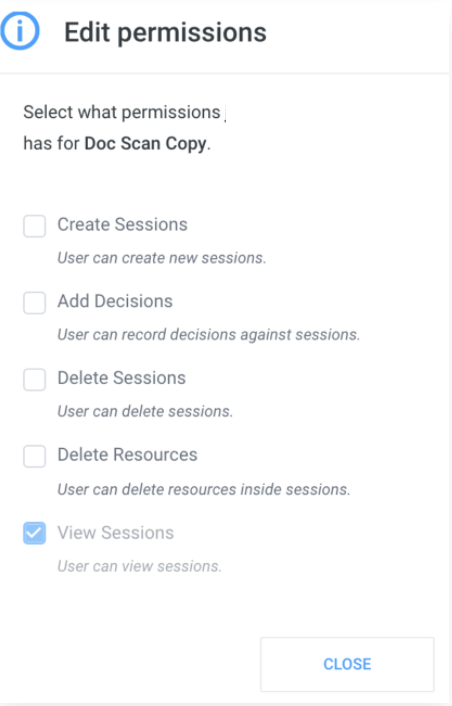
Creating a service > Users > Permissions
Hub users are not automatically added to the Identity verification portal so please add yourself.
All users will receive an email from Yoti. They will then need to register on the portal at https://identity.yoti.com/iam/create. The new users will be guided through this via the email they receive.
Type to search, ESC to discard
Last updated on
Was this page helpful?
Discard Changes
Do you want to discard your current changes and overwrite with the template?
Archive Synced Block
Message
Create new Template
What is this template's title?
Delete Template
Message