
Welcome
Identity Verification Product Guide
Identity Verification SDK
Mobile SDK
No Code (Portal)
Face Auth
Face Search
DBS/RTW & Yoti Global Identity
Page
Code Steps
Category
Label
Link
Separator
Title
Message
Page icon
No icon. This page keeps the plain index row.
orSVG or PNG, square, at least 32×32.
Create new category
What is the title of your new category?
Edit page index title
What is the title of the page index?
Edit category
What is the new title of your category?
Edit link
What is the new title and URL of your link?
Session results
AI Tools
Summarize Page
Copy Markdown
Open in ChatGPT
Open in Claude
Connect to Cursor
Connect to VS Code
Once the session has been completed, you can use the Yoti SDK to retrieve a report for the session. The report will contain the results of the identity verification checks, and you will also be able to fetch the end-user's uploaded documents and associated media.
Recommendation
Yoti strongly recommends you use notifications for each session update.
This section explains how to:
Retrieve the results of the session
Retrieve the media resources from the session
Retrieve checks and tasks within a session
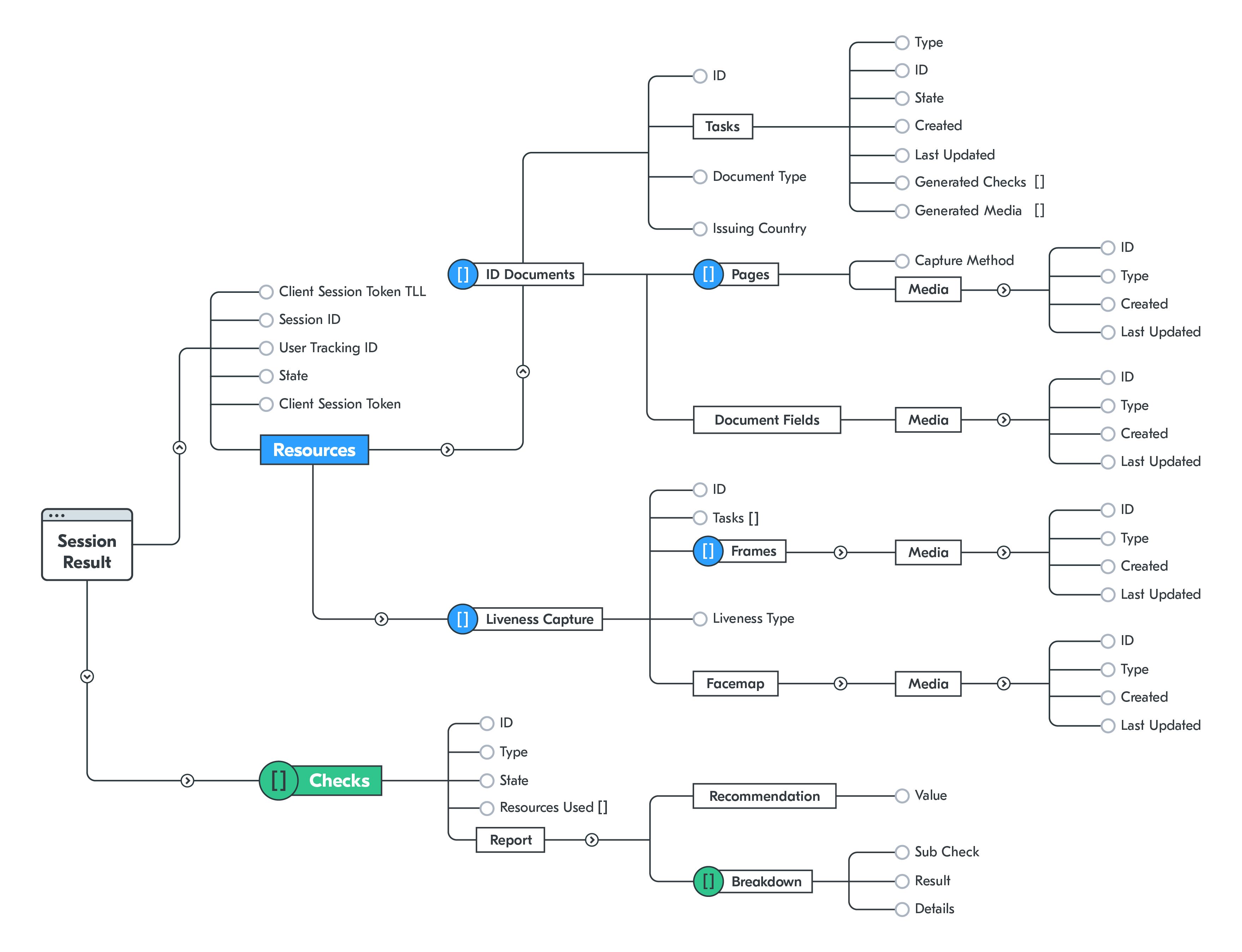
The structure of the full response is shown below:
Last updated on
Was this page helpful?
Next to read:
Checks and reportsGot a question? Contact us here.
Discard Changes
Do you want to discard your current changes and overwrite with the template?
Archive Synced Block
Message
Create new Template
What is this template's title?
Delete Template
Message