
We strongly suggest you read the Features section from the left hand menu and understand the user flow and checks you want to enable.
You will be provided with a list of checks that Identity verification provides.
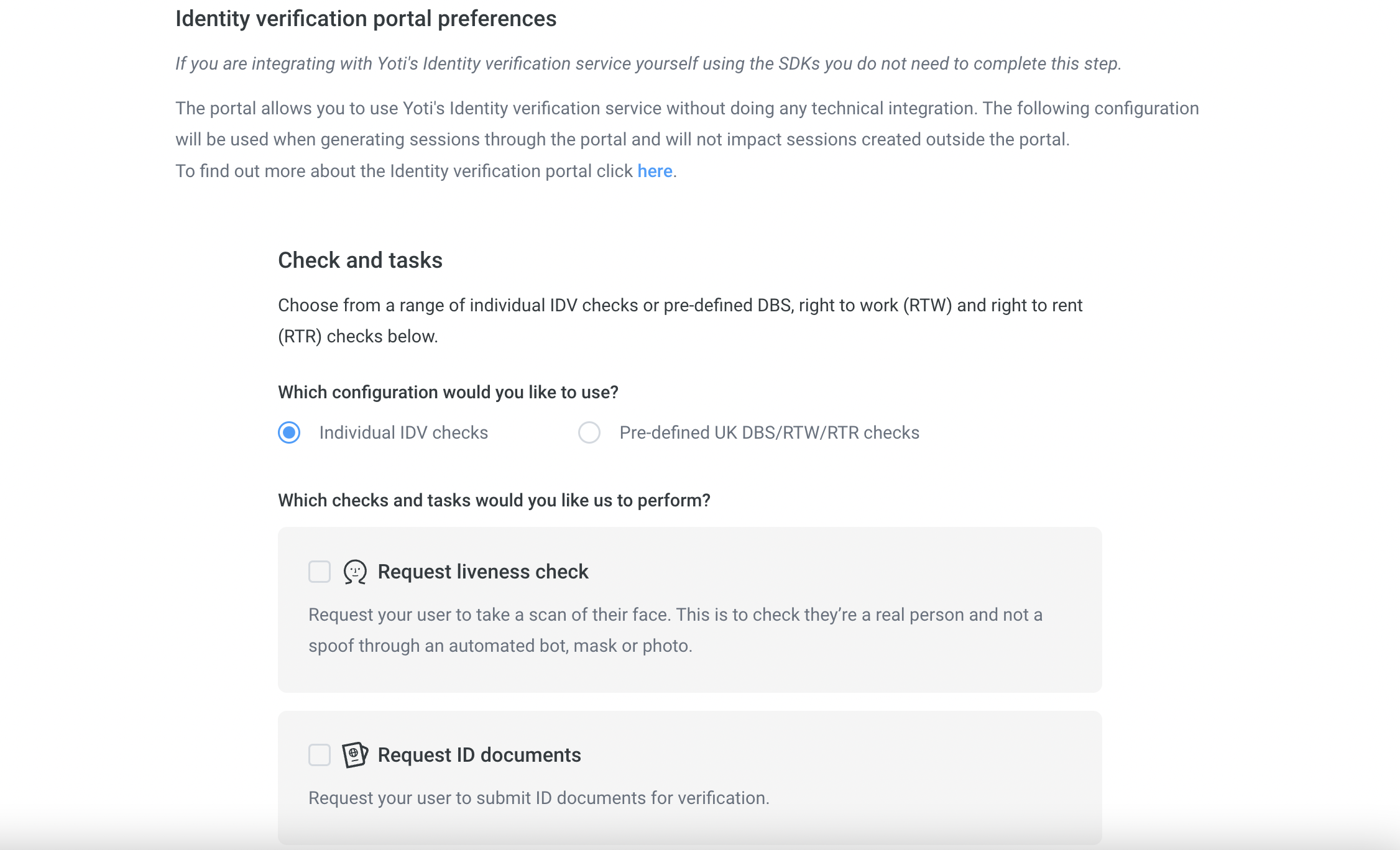
- Click on the portal preferences.
- Please tick which checks and tasks you wish to have as part of your user sessions.
- Or select the pre-defined checks.
A session represents one end-to-end use of the ID verification service. Each time the ID verification service is initiated (regardless of which specific tasks/checks are required), a new session is created.
Described below are the multiple checks Yoti provides for identity verification. We offer a manual check for most of the checks. If you require a manual check please select the following as part of your check:-
| Check type | Description |
|---|---|
| Always | The requested check will always get manually check regardless of the success of the automated check. |
| Never | The requested check will never get manual checked. |
| Fallback | The requested check will be manually checked if the automated check fails. |
You can select your preference from within each tick box check.
If you know what checks you want, you can skip this section.
| Name | Manual check available |
|---|---|
| Liveness check | ❌ |
| Document authenticity | ✅ |
| Text extraction | ✅ |
| Face match | ✅ |
| Supporting documents | ✅ |
| Document comparison | ❌ |
| Address check | ✅ |
| AML check | ❌ |