
HomeAge Verification HeadlessAI Services for TerminalsAge Estimation VerifySupportTrust APIIdentity Verification LivenessDigital IDIdentity verificationDigital ID MigrationDBS RTWDigital IDDBS/RTW portaleSignaturesAge verificationAge estimationIn-Branch VerificationAge Estimation v2idv-portal-errorsIdentity ProfilesVerifiable Credentialssandbox-betaIdentity Verification APIAI Services APITrust APIProof of Age (PoA) API
Identity verification
v9.0
Title
Message
Create new category
What is the title of your new category?
Edit page index title
What is the title of the page index?
Edit category
What is the new title of your category?
Edit link
What is the new title and URL of your link?
Configurable Flow
AI Tools
Summarize Page
Copy Markdown
Open in ChatGPT
Open in Claude
Connect to Cursor
Connect to VS Code
It's also possible to streamline the Yoti IDV flow by skipping specific UI screens. This enhances the user experience in cases where the relying party (RP) has already provided certain information to their users.
You can configure this in the sdk_config by specifying which screens to omit, as described below:
Java
JSON
SdkConfig sdkConfig = SdkConfig.builder() .withPrimaryColour("#2d9fff") .withLocale("en-GB") .withPresetIssuingCountry("GBR") .withSuccessUrl("https://localhost:8443/success") .withErrorUrl("https://localhost:8443/error") .withAllowHandoff(true) .withSuppressedScreen("ID_DOCUMENT_EDUCATION") .withSuppressedScreen("FACE_CAPTURE_EDUCATION") .withSuppressedScreen("STATIC_LIVENESS_EDUCATION") .build();Skippable Screens
| Screen | Description |
|---|---|
| ID_DOCUMENT_EDUCATION | Screen that gives users information about how to capture a good image of their ID document |
| ID_DOCUMENT_REQUIREMENTS | Screen that allows users to select which ID document to use. This screen should only be skipped if you are enforcing the use of a specific document |
| FACE_CAPTURE_EDUCATION | Screen that gives users information about how to capture a good face capture image. |
| STATIC_LIVENESS_EDUCATION | Screen that gives users information about the static liveness check. |
| ZOOM_LIVENESS_EDUCATION | Screen that gives users information about the zoom liveness check. |
| FLOW_COMPLETION | Completion screen that uses sees at the end of the flow. Can only be skipped in our native sdk's. Not applicable for the web sdk. |
The flow will look as follows with all screens skipped:
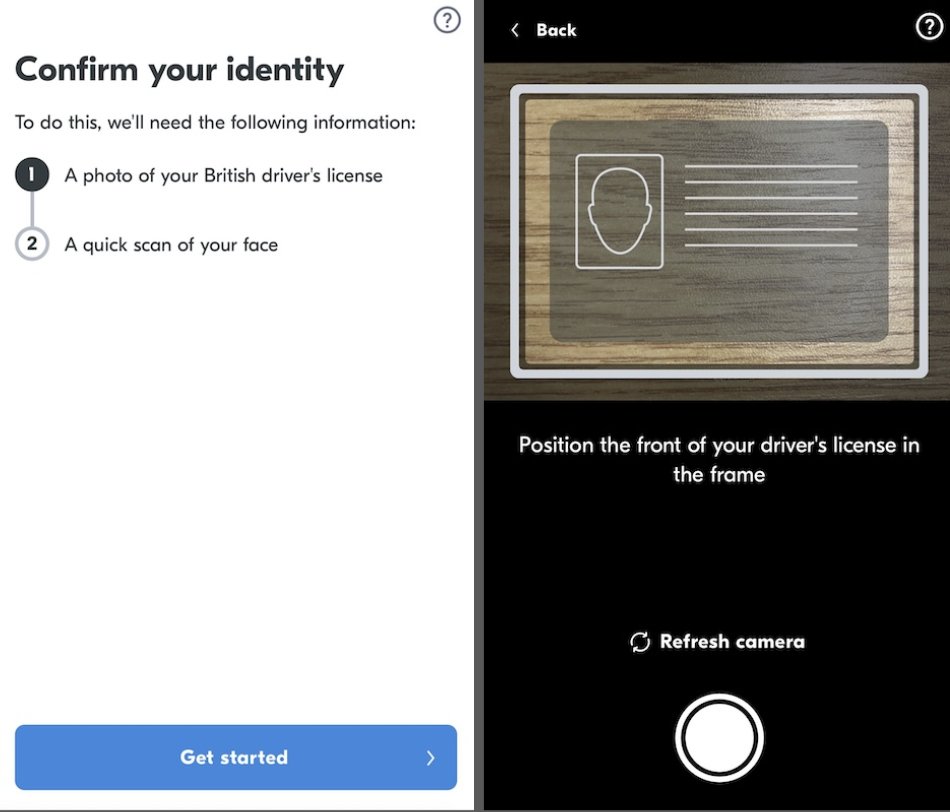
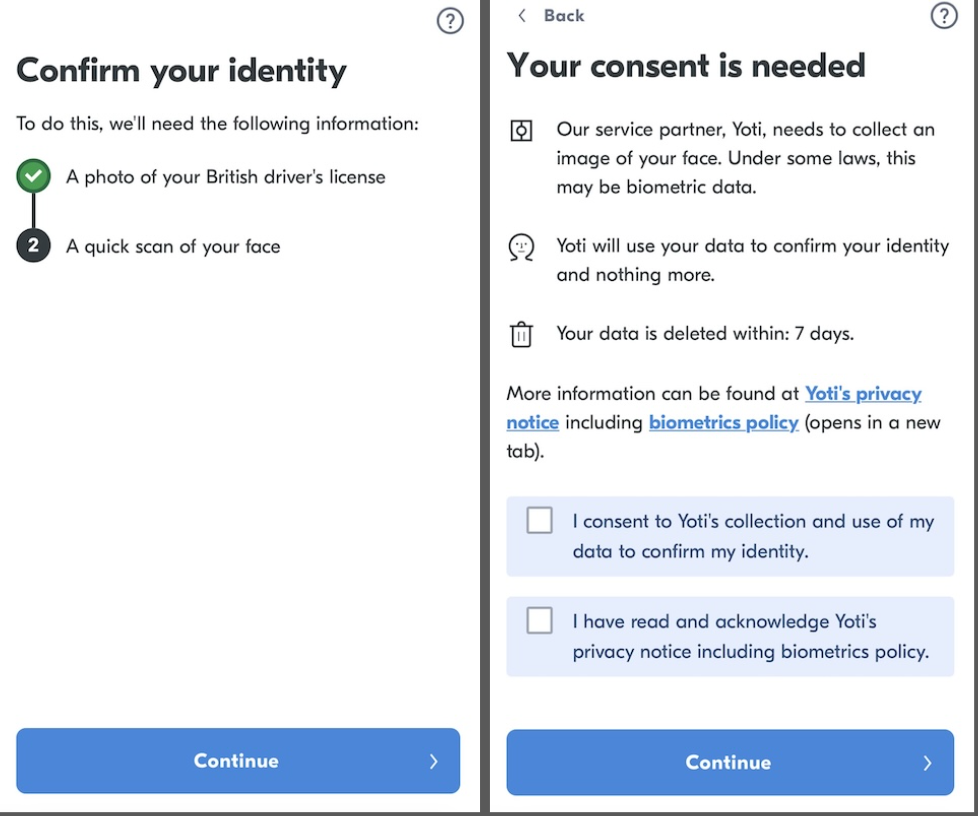
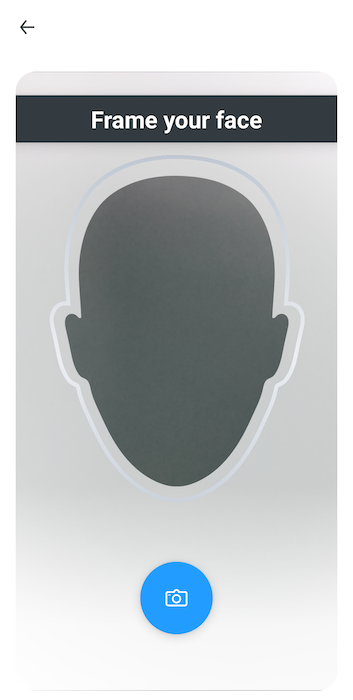
Please contact us in order to use this feature as our team will need to review your UX.
Type to search, ESC to discard
Last updated on
Was this page helpful?
Next to read:
NotificationsGot a question? Contact us here.
Discard Changes
Do you want to discard your current changes and overwrite with the template?
Archive Synced Block
Message
Create new Template
What is this template's title?
Delete Template
Message