
Title
Message
Create new category
What is the title of your new category?
Edit page index title
What is the title of the page index?
Edit category
What is the new title of your category?
Edit link
What is the new title and URL of your link?
Preview and send document
AI Tools
Summarize Page
Copy Markdown
Open in ChatGPT
Open in Claude
Connect to Cursor
Connect to VS Code
Before you start
You will need to have added a document to the portal and at least one signer, and added your fields.
This guide will show you how to:
- View a preview of the document
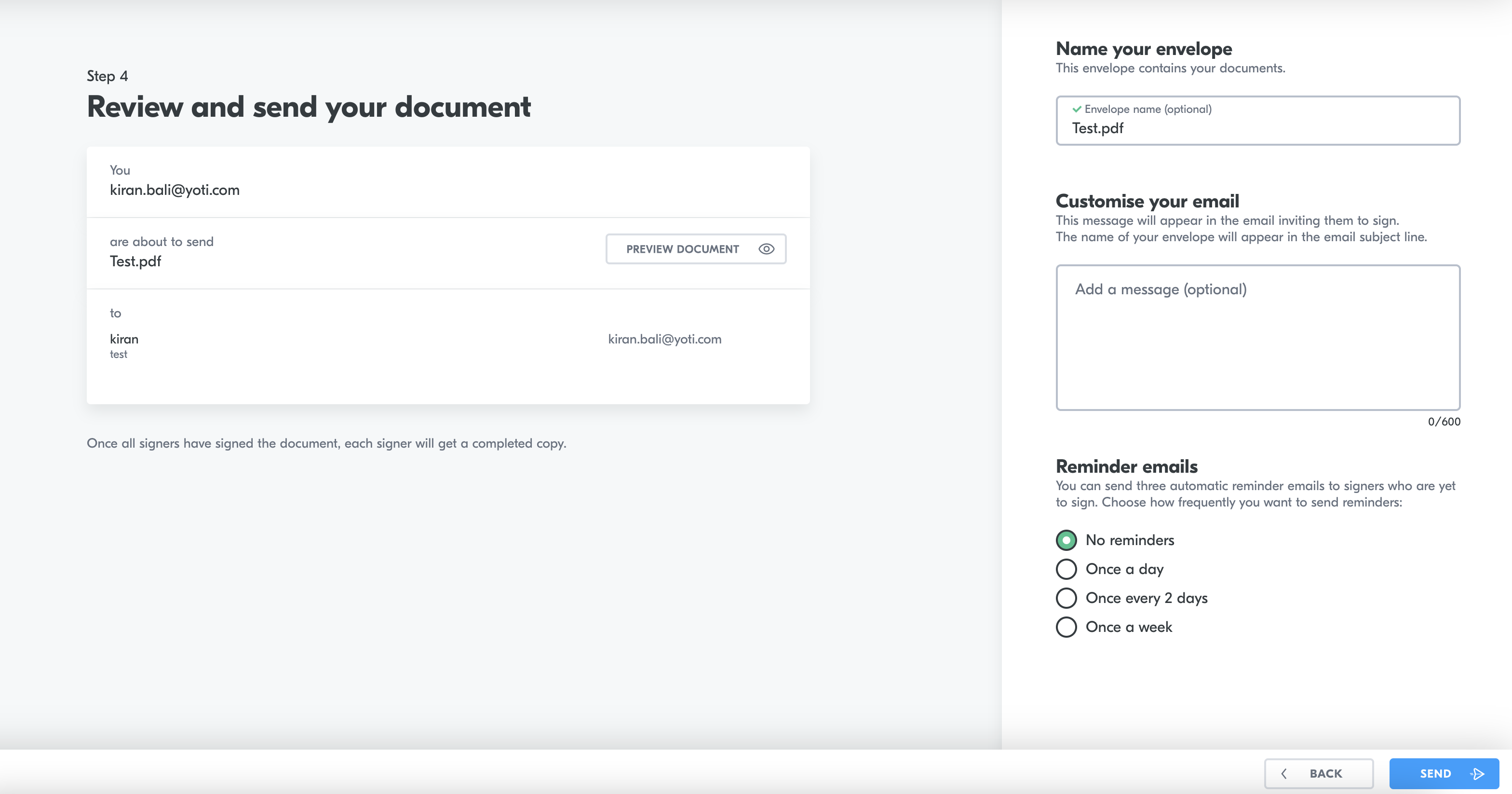
- Customise your email to the signer
- Set up reminders to the signer. You can send three automatic reminder emails to signers who are yet to sign.
You have the ability to go back and change what you need to.
Send the document
At this point you can customise an email to send to the signer and set a reminder. You can also send a reminder manually.
Send the document
Press send!
Type to search, ESC to discard
Last updated on
Was this page helpful?
Next to read:
SignaturesGot a question? Contact us here.
Discard Changes
Do you want to discard your current changes and overwrite with the template?
Archive Synced Block
Message
Create new Template
What is this template's title?
Delete Template
Message