Create optimal experiences for your customers and increase conversion by following these best practices for web and mobile integrations.
In this section, we offer tips and considerations to create a great and simple experience for your users.
Button design guide
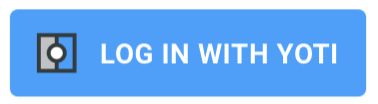
The Yoti button that comes with our SDKs is easy to integrate and includes built-in education that ensures a consistent design and experience. It should look like this:
Recommended labels
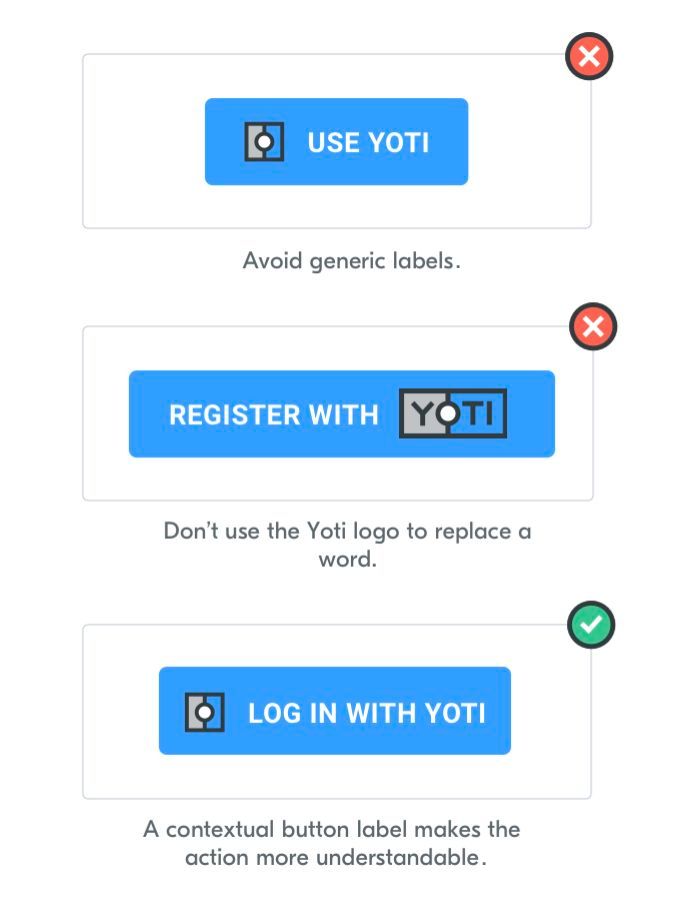
You should always provide context in a Yoti button, here are our best performing labels:
Prove age with Yoti
Verify with Yoti
Prove identity with Yoti
Log in with Yoti
Sign in with Yoti
Register with Yoti
Sign up with Yoti
Placement
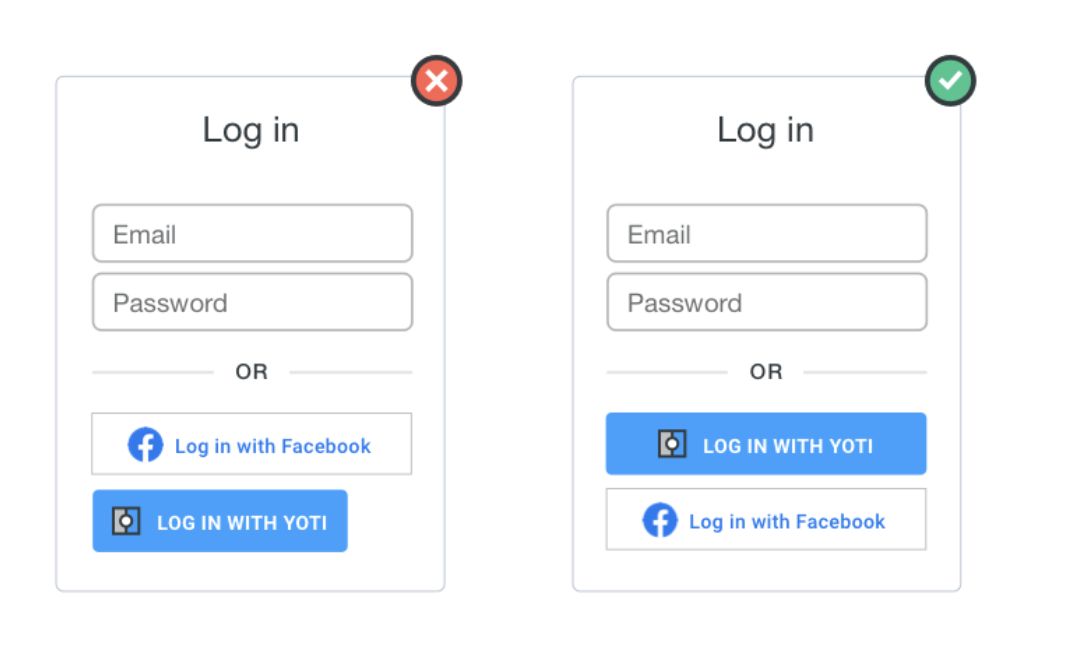
You should display the Yoti button in a highly visible location on your website.
If Yoti is offered with other options, ensure you make all options the same width and height for a consistent layout.
Size and shape
The Yoti button should be easily recognisable on your website. Please use the provided button design without making any visual changes.

Set up expectations
Helping your users understand what they need to do and why will give them a better, more seamless experience.
Use steps
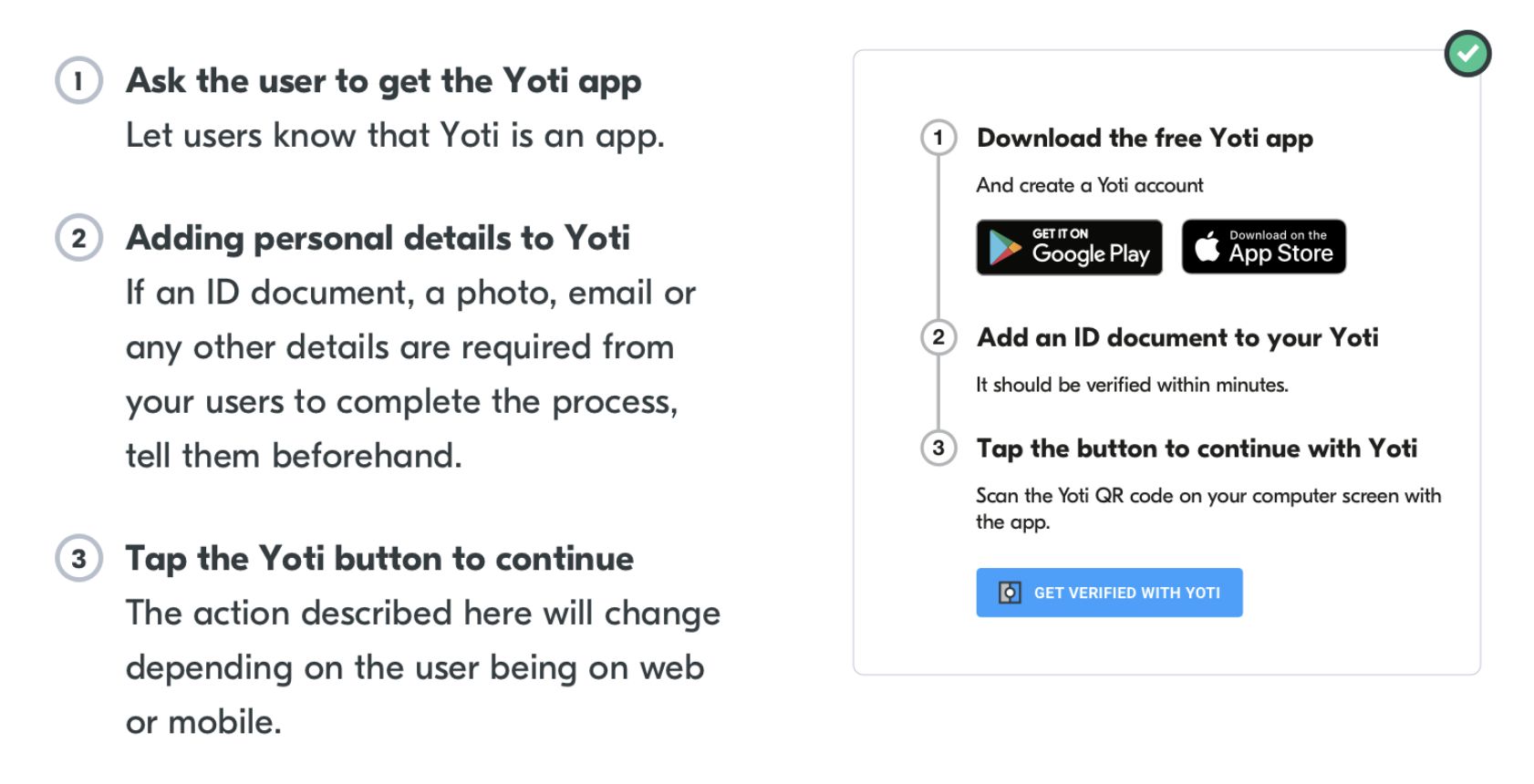
We recommend using a step-by-step navigation journey so users can easily understand whats required of them. These steps can:
Be completed in one go, or require users to return at different times
Include online and offline actions
Represent one-off or regularly repeated tasks
Link to content and services outside of Yoti
You can customise content like the links in the steps and the names, but you cannot customise the design of step by step navigation.
We recommend you use the following:
Time expectations
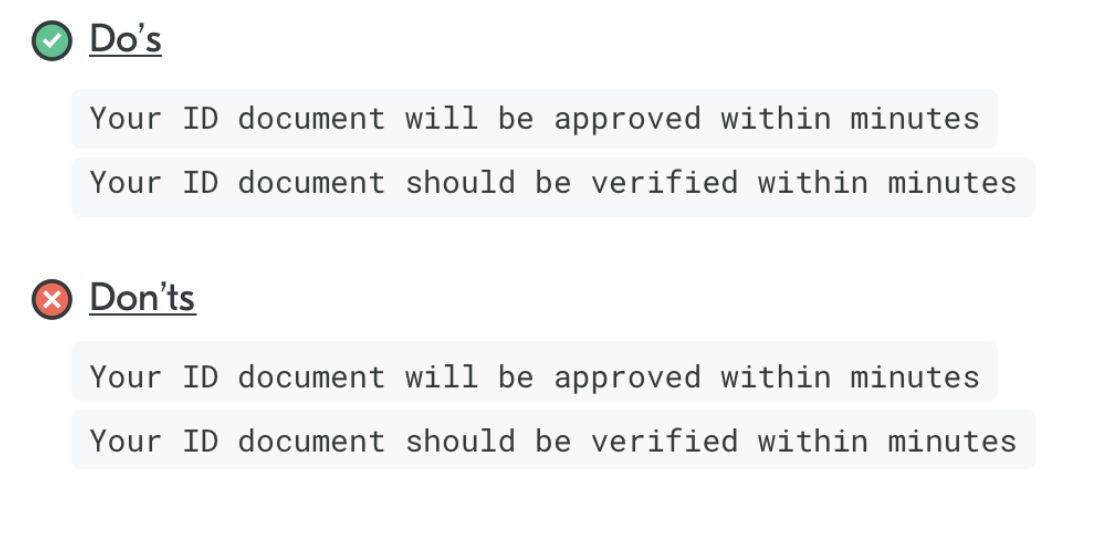
Don’t be too specific about how long the process can take. Give generic time estimations instead.
In context messaging
Including messaging next to your button can add more context and clarity on what is going to happen next and the actions the button will trigger.
Some examples:

Learn more page
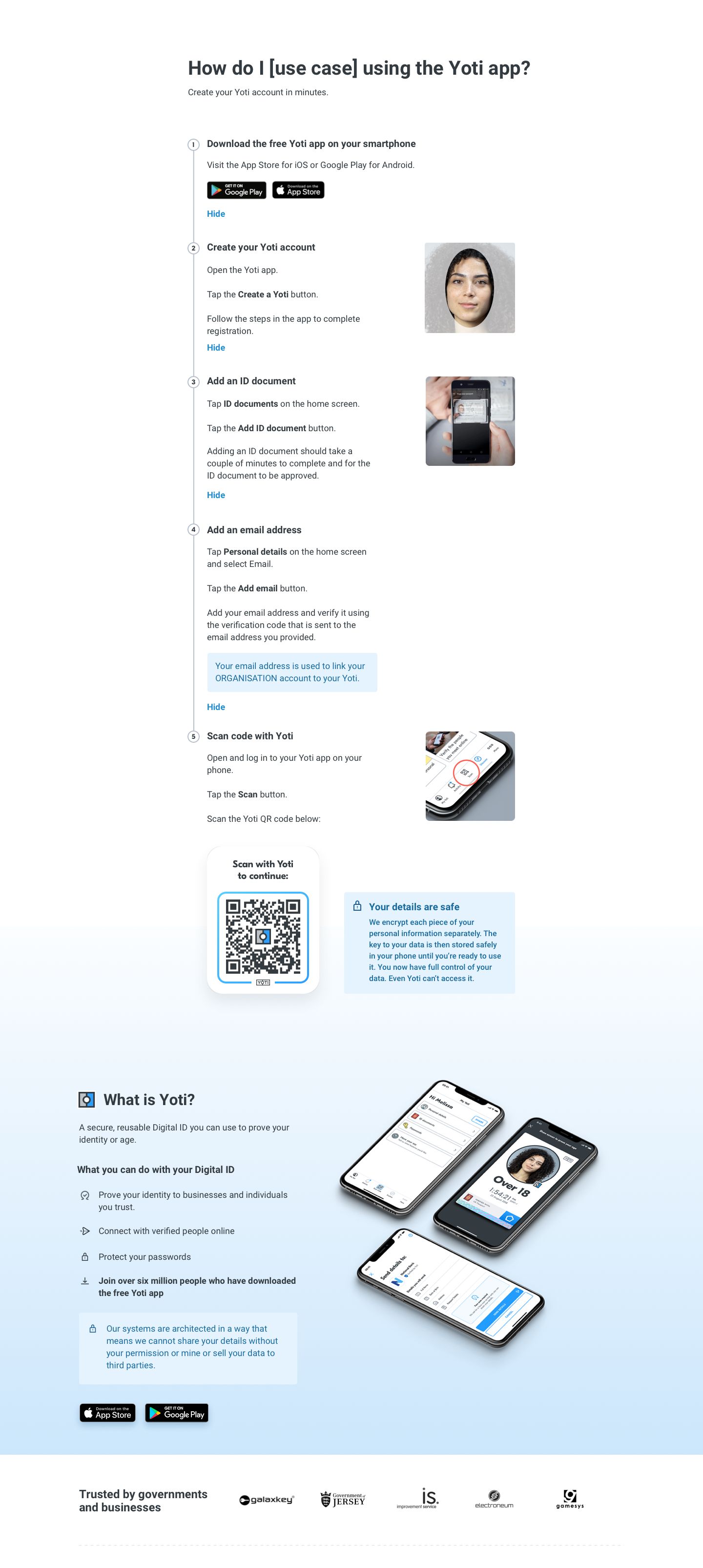
The page below is a fuller picture of the user on what steps the need to complete to scan with Yoti. Based on the attributes you select on in our hub will reduce the number of steps you need e.g. if you do not select an attribute from a government ID you do not need step 3.
Assets
Please see assets below. You can download all of them with this button: