
There are four property types:
Name
Email
Reminders
Envelope OTP
Sender
Name property
This is the name of the envelope. It will be presented as the email subject and the document tag in the email.
Parameter | Description |
|---|---|
name | This must be between 1 and 125 characters and must not contain special characters: |
Email property
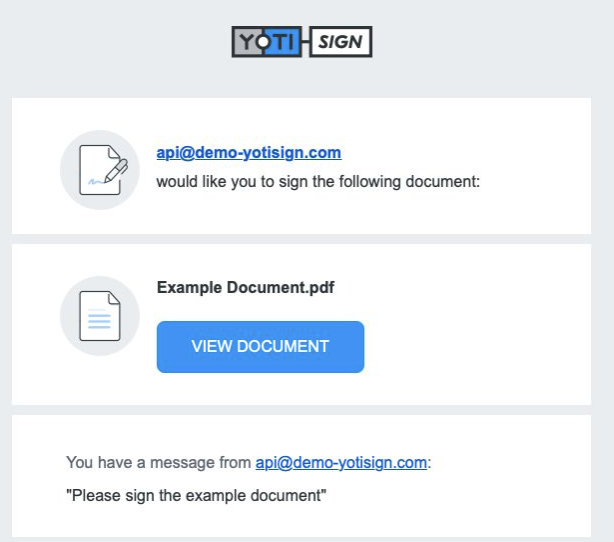
This service will send an email to the recipient prompting them through the Yoti Sign flow. There is a configurable option to customise the signing request message that gets sent.
The API will require an invitation object and message. This message will be included within the email sent to your recipients.
Parameter | Description |
|---|---|
The email parameter lets you specify a message to be sent to a recipient. See example above. | |
reply_to | Email address that the user will be able to directly reply to. |
name | The name referring to who the email was sent from. This must not contain special characters: |
message | The message that appears the bottom of the email or template with instructions for the user. This must be between 1 and 600 characters. |
Hint Typically through embedded signing emails may not be required, as the flow is intended to be solely within the browser.
Important Invitation is not required to be present IF the signer_invitation is not present in the event_notifications array.
Sender property
This service allows you to opt out of sending the envelope completion email to the sender.
Parameter | Description |
|---|---|
sender | The sender parameter allows you to specify which email notifications the sender will receive. If set as an empty array the envelope_completion notification will not be sent to the sender. |